Get Clean Recipes from Budget Bytes
Beth Moncel's cost-conscious cooking blog that calculates the per-serving cost of every recipe. A go-to resource for college students and frugal families cooking delicious, filling meals on tight budgets. Strip the ads, life stories, and clutter — get just the ingredients and cooking instructions.
Try it now — paste a Budget Bytes recipe URL
Original Source: Budget Bytes
RecipeStripper creates a clean cooking view after you paste a public URL. Use the original Budget Bytes page for the publisher's photos, notes, comments, updates, and full article.
How RecipeStripper Works with Budget Bytes
Paste the URL
Copy a public recipe URL from www.budgetbytes.com and paste it above.
We extract the recipe
Our parser chain strips ads, stories, and clutter in seconds.
Cook with clarity
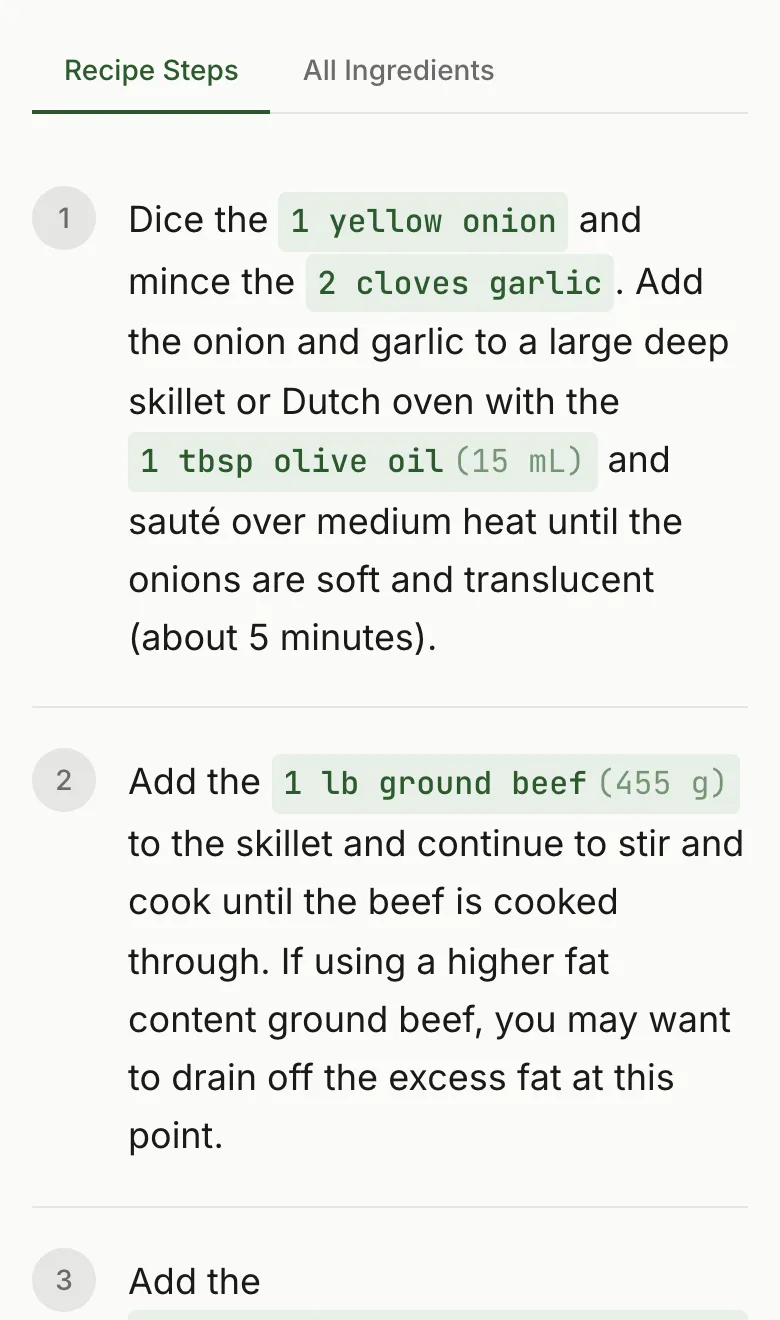
Get clean instructions with ingredient quantities embedded in each step.
What You Get
- ✓Inline ingredient quantities — amounts appear right in the cooking steps, so you never scroll back up
- ✓Servings scaler — adjust portions up or down and all quantities update automatically
- ✓Cook mode — keeps your screen awake while you cook, no more tapping to unlock
- ✓Zero signup — just paste a URL and cook. No account, no app, no extension
- ✓Works on any device — phone, tablet, laptop. Optimized for wet hands on a kitchen counter
Frequently Asked Questions
Does RecipeStripper work with Budget Bytes?
Yes. RecipeStripper usually works with public Budget Bytes recipe pages that expose accessible recipe data. Paste a www.budgetbytes.com recipe URL to get clean ingredients and instructions.
How do I get Budget Bytes recipes without ads?
Paste a public www.budgetbytes.com recipe URL into RecipeStripper and you get a clean version with no banner ads, no autoplay video players, no sticky video that follows you down the page, no pop-up newsletter modals, and no cookie consent banners. RecipeStripper reads accessible recipe data server-side and renders a minimal page with just the title, ingredients, and instructions.
Why does Budget Bytes have so many ads?
Budget Bytes runs ads to fund recipe development, hosting, and editorial costs. Most recipe sites — especially major ones — use display advertising networks like Mediavine or AdThrive that pay CPM rates (cost per thousand impressions). That creates a financial incentive to maximize page views and ad placements per page. The 1,400-word "life story" above the recipe card isn't padding — it's revenue, because Google's ranking algorithm historically favored longer pages and longer dwell times. RecipeStripper strips the recipe from the page so you can cook without the ad infrastructure.
Can I read Budget Bytes recipes on mobile without ads?
Yes. Budget Bytes mobile pages can include display ads, video players, and tracking scripts. RecipeStripper's extracted version removes that clutter and shows a focused recipe view with no ads, no videos, no pop-ups, and no autoplay when extraction succeeds. Cook Mode uses the Screen Wake Lock API to keep your phone screen on while you cook.
Is it free to use RecipeStripper with Budget Bytes?
Yes, RecipeStripper is completely free. No account, no signup, no credit card. Just paste a Budget Bytes recipe URL and get the clean recipe.
Can I save Budget Bytes recipes?
Yes. Create a free RecipeStripper account to save extracted Budget Bytes recipes for later. Access your saved recipes from any device. Without an account, each successfully stripped recipe gets a shareable link (recipestripper.com/r/abc123) you can bookmark or text to yourself.
Can I print Budget Bytes recipes without the ads?
Yes. Strip the Budget Bytes recipe in RecipeStripper, then print from the clean view. The result is a focused printout of the title, ingredients, and instructions instead of the ads, video player thumbnails, related content, and newsletter callouts from the original page.
What does RecipeStripper remove from Budget Bytes recipes?
RecipeStripper strips ads, pop-ups, life stories, newsletter prompts, autoplay video players, cookie consent banners, app install prompts, sponsored content widgets, and other clutter — leaving you with just the ingredients and step-by-step cooking instructions. Ingredient quantities are embedded directly into each step (so "add the flour" displays as "add 2 cups all-purpose flour") so you never scroll back up.