RecipeStripper vs Paprika
Side-by-side comparison of RecipeStripper and Paprika. See which recipe tool is right for your kitchen.
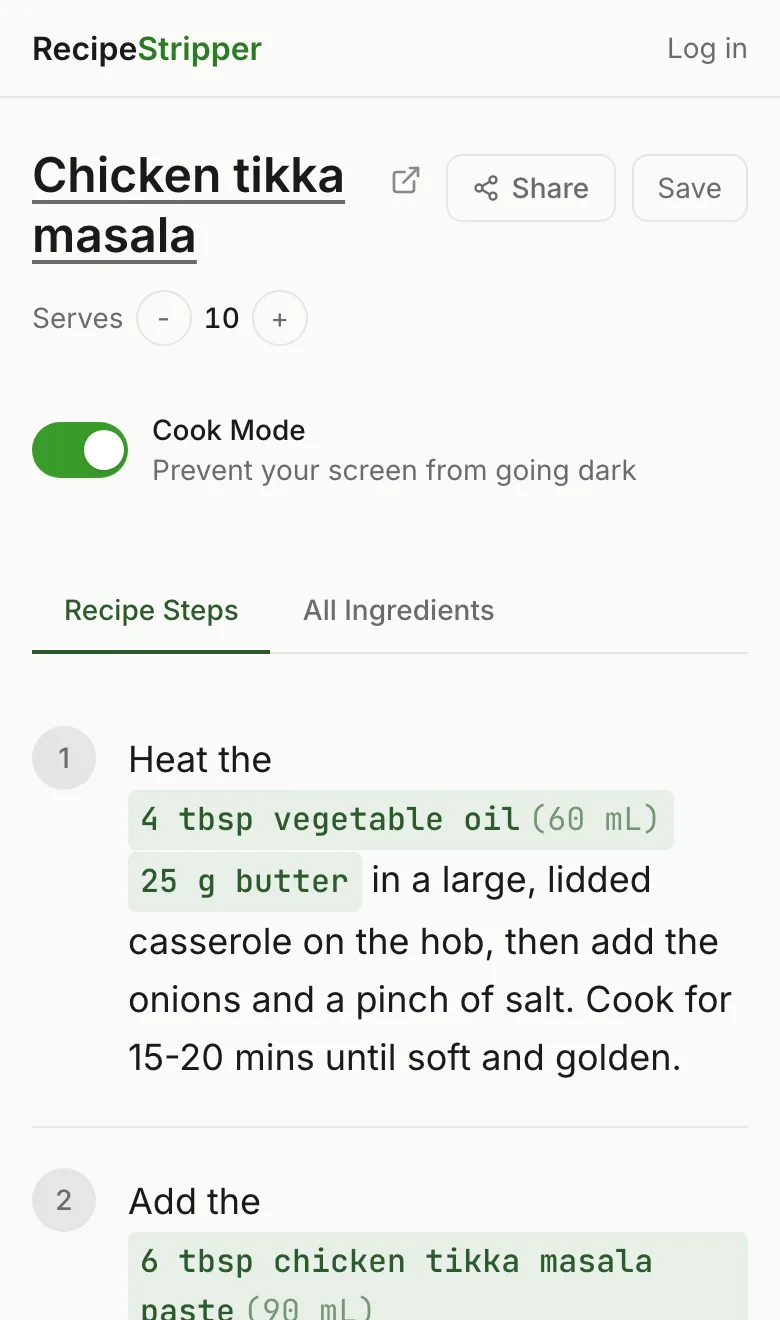
Feature Comparison
| Feature | RecipeStripper | Paprika |
|---|---|---|
| Free to Use | ✓ | ✗ |
| No Signup Required | ✓ | ✗ |
| Browser Extension | ✗ | ✗ |
| Mobile App | ✗ | ✓ |
| Inline Ingredient Quantities | ✓ | ✗ |
| Cook Mode (Wake Lock) | ✓ | ✗ |
| Servings Scaler | ✓ | ✓ |
| Saved Recipes | ✓ | ✓ |
| Shareable Links | ✓ | ✗ |
| Works With Any Site | ✓ | ✓ |
RecipeStripper
Strengths
- +Inline ingredient quantities in every step
- +Zero signup — paste and cook instantly
- +Works on any device (phone, tablet, laptop)
- +Cook mode keeps screen awake
- +Servings scaler with live quantity updates
- +4-tier parser attempts public recipe URLs
Limitations
- -No browser extension (web-only)
- -No mobile app (works in browser)
- -Some bot-protected sites have limited extraction
Paprika
Strengths
- +Polished desktop and mobile apps
- +Excellent recipe organization
- +Servings scaler
- +Meal planning features
- +Works offline
Limitations
- -Costs $5 per platform
- -Requires app installation
- -No instant web-based use
- -No inline ingredient quantities in steps
- -No cook mode
- -No free tier
Try RecipeStripper Free
No signup, no extension, no app to install. Just paste a recipe URL.
FAQ
Is RecipeStripper better than Paprika?
RecipeStripper and Paprika take different approaches. RecipeStripper is a free, instant web tool — no signup, no install. Its unique inline ingredient quantities embed amounts directly into cooking steps. Paprika a premium recipe manager app available on desktop and mobile. powerful for building and organizing a recipe library, but costs $5 and requires installation — not a free instant-use web tool.
What's the best alternative to Paprika?
RecipeStripper is a strong free, no-signup alternative to Paprika. Paste a public recipe URL and get a clean view when extraction succeeds — no installation, works on any device including iPhone and Android. Inline ingredient quantities put amounts like "2 cups all-purpose flour" inside the cooking step, which is not a core feature of Paprika.
How is RecipeStripper different from Paprika?
Three differences matter most when you're actually cooking: (1) RecipeStripper embeds ingredient quantities directly into each cooking step so you never scroll back up to check amounts — Paprika uses the traditional separate-list layout. (2) RecipeStripper is a free web tool that works on any device with no installation — Paprika is a native app. (3) RecipeStripper has Cook Mode using the Screen Wake Lock API — Paprika does not keep your phone screen on while cooking.
Is RecipeStripper free?
Yes, RecipeStripper is completely free with no account required. Just paste a recipe URL and get clean results instantly. An optional free account lets you save recipes to a personal library, but every feature works without one.
Is Paprika worth paying for?
Paprika is a paid app with strong recipe-library management, meal planning, and offline access. If you cook regularly from a saved library, the one-time cost can be worth it. If you primarily extract recipes from URLs on-the-fly (especially on mobile), RecipeStripper handles the same workflow for free with the addition of inline quantity embedding.
Can I use both RecipeStripper and Paprika?
Absolutely. Many cooks use RecipeStripper for quick, on-the-fly recipe cleaning and Paprika for mobile recipe management. They complement each other well — RecipeStripper for the cooking moment (paste URL, cook), Paprika for the library moment (save, organize, plan).