Just the Recipe
Ingredients and steps. Nothing else. Paste a public recipe URL and cook from a clean view.
Free — no signup, no account required
What You Actually Want
You found a recipe you want to make. You clicked the link. You'd like to cook it. That's the entire transaction.
Instead, you get: a full-screen newsletter popup before you've read a word. A cookie consent banner covering the content. An auto-play video starting somewhere in the middle of the page. And then, above the actual recipe, 1,800 words about why the blogger's grandmother's chicken soup is the definitive version and how it changed their relationship with food.
RecipeStripper skips all of it. Paste the URL. Get the recipe. That's it.
What RecipeStripper Shows You
The clean recipe display includes everything you need and nothing you don't:
Going Further: Inline Quantities
"Just the recipe" tools typically give you the same layout as the original: a list of ingredients at the top, steps below. That's better than wading through ads and life stories, but it still makes you scroll back and forth to check amounts while cooking.
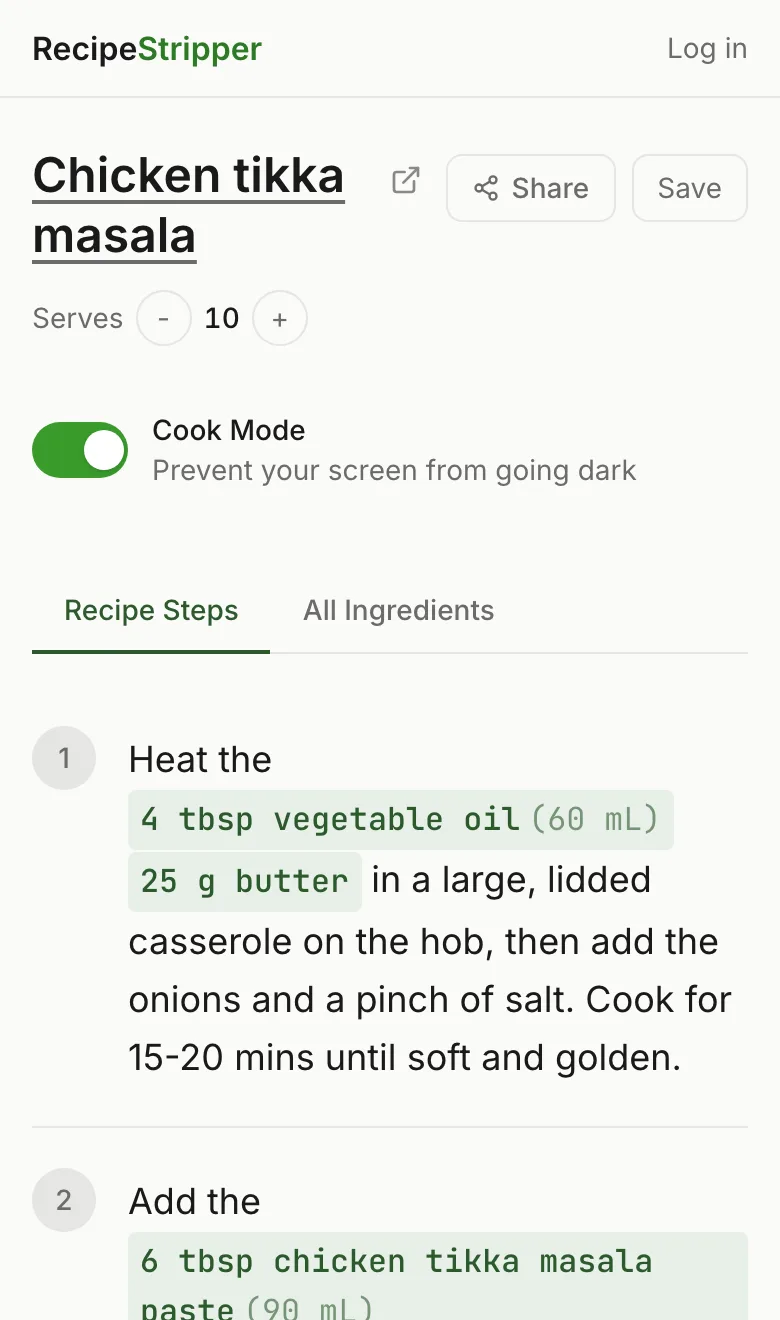
RecipeStripper solves this with ingredient-matching. After extracting the recipe, it reads each step and identifies which ingredients it references. It then embeds the quantities inline — so "stir in the cream" becomes "stir in 1 cup heavy cream," right in the step, highlighted so it's easy to spot.
This is a meaningfully different cooking experience. You move forward through the steps without ever needing to scroll back up. Learn more about how this works on the recipe without scrolling page.
Cook Mode: Screen Stays On
One more kitchen problem: your phone screen locks after 30 seconds. You're mid-chop, your hands are covered in onion, and you need to read the next step. You have to touch the phone to wake it, lose your place, and get onion juice on the screen.
Cook Mode uses the browser's Wake Lock API to prevent this. Tap Cook Mode at the top of any recipe and your screen stays awake indefinitely while you're cooking. No app required. No settings to change. Just a button.
Works With 120+ Recipe Sites
RecipeStripper attempts extraction from public recipe pages. Commonly used listed sites:
Browse all 120+ listed sites →Frequently Asked Questions
How do I get just the recipe without the life story?
Paste a public recipe URL into RecipeStripper at recipestripper.com and you get just the recipe — ingredients, step-by-step instructions, inline quantities — on a clean page with no life story, no ads, no popups, and no autoplay video. Works on 120+ listed recipe-site pages including AllRecipes, Food Network, Bon Appétit, Smitten Kitchen, Half Baked Harvest, and many WordPress recipe blogs. Free, no signup, works on phone or desktop.
Is RecipeStripper a free alternative to JustTheRecipe?
Yes. RecipeStripper is free with no account required. Like JustTheRecipe, it extracts recipes from URLs and displays them cleanly without ads or life stories. RecipeStripper adds features JustTheRecipe doesn't have: ingredient quantities embedded inline in each instruction step, a servings scaler with live updates, and Cook Mode that keeps your screen awake while cooking.
What is 'just the recipe' and why do people search for it?
It's a phrase that captures a universal frustration with recipe blogs. Online recipes are buried under ads, personal anecdotes, SEO filler text, and popups. When someone searches 'just the recipe,' they want a tool that strips all of that away and shows only the ingredients and cooking steps. It's the same motivation behind the original 'Jump to Recipe' button trend on food blogs.
Does RecipeStripper require a login to use?
No. Paste a URL, get the recipe — no account, no email, no signup. Creating a free account unlocks the ability to save recipes to your personal library, but it's entirely optional.
What makes RecipeStripper different from other recipe cleaners?
The key differentiator is inline ingredient quantities. Most recipe cleaners display the same separated layout as the original — ingredient list at top, steps at bottom. RecipeStripper matches quantities to the specific steps that use them and embeds them inline, highlighted in green. You never scroll back up to check an amount. That, combined with Cook Mode (Wake Lock) and a servings scaler, makes RecipeStripper especially useful at the stove.